Form 1099-MISC, 1099-NEC
Before you begin any of the instructions below, please make sure that you have entered the Tax ID that the IRS has given to your organization. The Tax ID for the church is entered, from the The Initial Portal of Church Windows, click Administration > Sys Info (Getting Started with Church Windows). If the Tax ID is missing for a Vendor that needs a 1099 go to Chart of Accounts > Accounts +/— > Accounts Payable / Vendors.
Tax Forms are now provided by Aatrix.
Access Tax Reports
To access from the Button Bar, go to Reports/Export > Tax

Print or eFile 1099
-
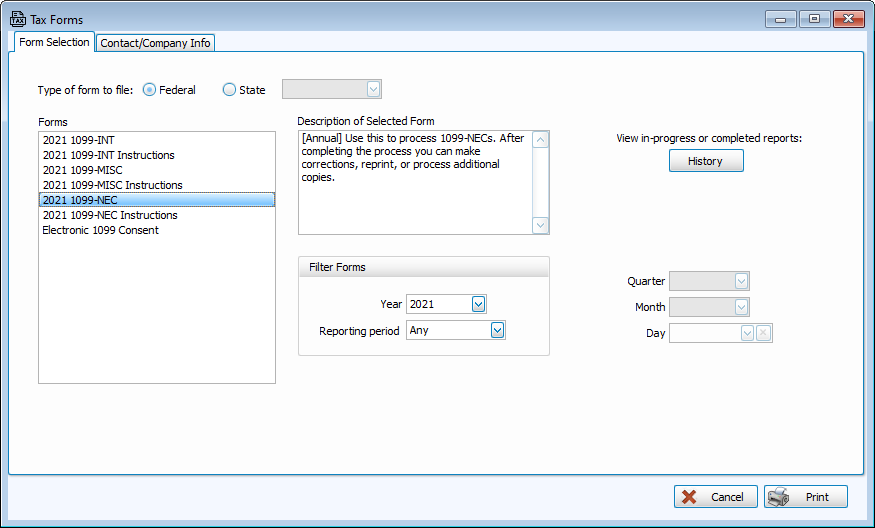
In the Tax Forms window on the Forms Selection tab, select the form you want to produce.
-
Click Print
-
Select the Vendors/Payees that need 1099s.
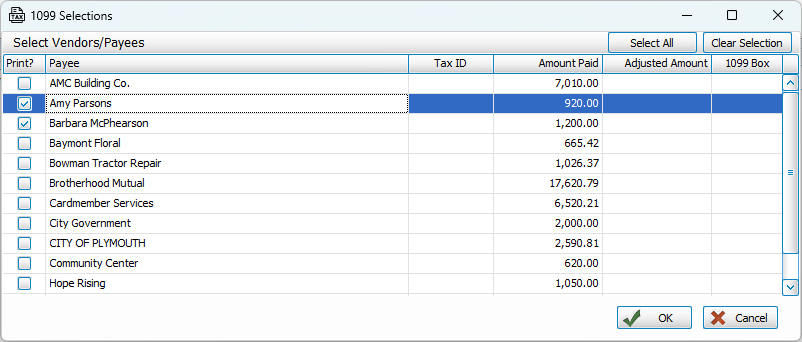
1099-MISC: Select the 1099 box for each vendor.
Box 1
Rents over $600
Box 2
Royalties over $10
Box 3
Non-wage payments such as prizes, other income
Box 6
Healthcare service payments over $600
Box 10
Gross proceeds over $600 paid to an attorney
NEC
Non-employee Compensation
-
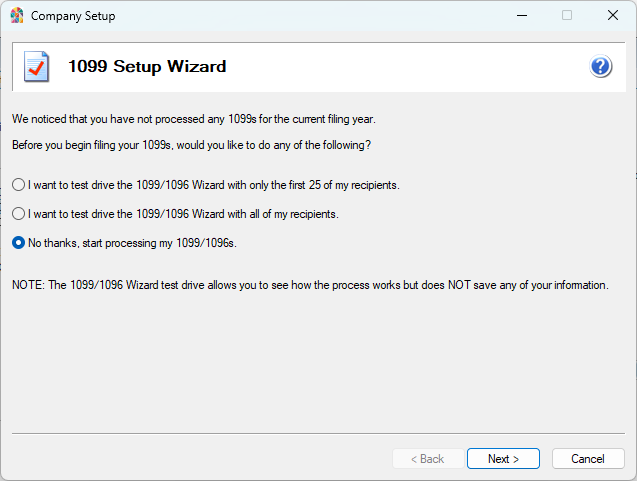
Complete the Setup Wizard
-
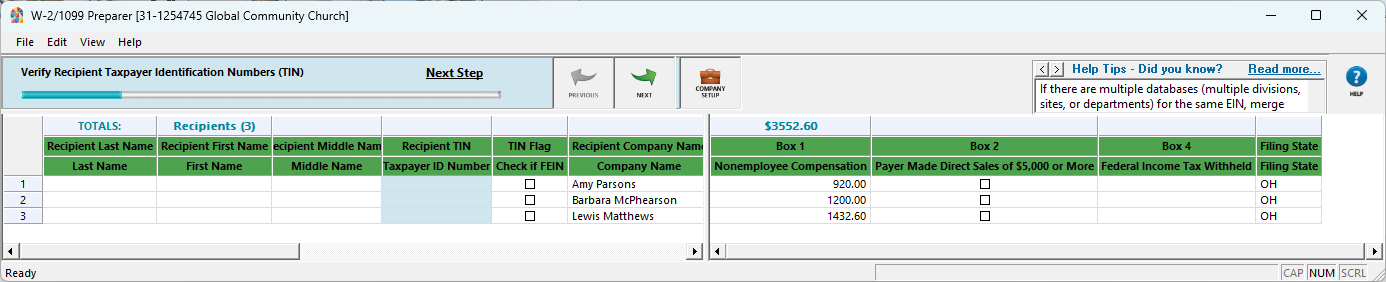
The status bar at the top of the screen provides direction for completing information in the form. If you attempt to continue with missing information, those fields will highlight in red.
-
Select eFile or Print options.